In my earlier project, I presented my spectrometer, which is based on an off-the-shelf optical setup and a custom PCB that drives a TCD1304 linear CCD. I put a lot of effort into developing the hardware and the software to drive this CCD. One of the spin-off projects of the CCD is this spectrometer, but I also made standalone breakout PCBs for the CCD and an STM32F401 microcontroller, plus I built a quite cool line scan camera based on the platform as well. In recent days, it hit me that the line scan camera and its setup are just a few modifications away from making my earlier introduced spectrometer setup completely portable. Earlier, I sent the CCD’s data to my PC, and I processed everything there, including drawing a colourful spectrum with “wavelength-correct” colouring. However, I realised that I can do the same on the microcontroller, too. So, I tailored the code to turn the setup into a desktop spectrometer. Apart from the coding, I designed a 3D-printable case to accommodate the optical bench and the electronics, so everything sits in place nicely.
Introduction
To quickly summarise what I have so far, allow me a quick refresher.
The spectrometer is based on a B&W TEK BRC100 OEM spectrometer’s optical parts in the original enclosure and my custom TCD1304 breakout board specifically designed for this spectrometer. The spectrometer is a traditional Czerny-Turner type spectrometer. The light enters the instrument through a slit, then a collimating mirror makes the rays parallel and directs them towards a diffraction grating. This grating is the most important part of the setup because this optical element splits the light into its components. The split-up light is reflected onto a focusing mirror that then directs the light onto the CCD’s surface. The CCD captures the light, and after a calibration that correlates the lit-up pixel’s position with a wavelength, we can identify the components of a spectrum.
The light is guided into the spectrometer’s entrance slit by an optical fibre. This specific spectrometer has a 200 um core diameter and 0.22 NA (numerical aperture). I do not use any optics to focus the light into the fibre since it is quite forgiving with the incoming light. The acceptance half-angle is about 12.7°, so the incident light does not need to be super parallel. The optical fibre was provided by a good friend of mine.
Before committing to the final design of the enclosure and software, I put everything together on a breadboard. The CCD’s driver board is connected to an STM32F401CCU6 microcontroller that both drives the CCD and captures its output signal. Then, to visualise what the CCD sees, I used a 4-inch SPI display. The display also has an SD card module and a touch panel, but at this point, I do not intend to use them. However, the SD card module might be revisited in a later edition of the setup because maybe it would be interesting to save the spectra for later processing.
I also added a simple rotary encoder with a switch that allows me to navigate on the display and to apply different settings. The encoder is used to move the cursor along the X axis to determine a peak’s exact wavelength, plus it is also used to change the CCD’s integration time to match the intensity of the light source.
The spectrometer with the path of the light across the main components.
What’s in the box?
So, first of all, I created a 3D-printable enclosure in Fusion 360 that allows me to hide everything inside it. The lid has a cutout for the display and the rotary encoder, and the main shell has four cutouts for the rest of the critical components: one for the STM32, one for the battery charger, one for the power switch and one for the spectrometer.
Inside the shell, I created different zones and guiding rails, so each component can be inserted and fixed precisely. You might think, cool, but will everything float, or dangle around inside the enclosure?! Well, I will again use my favourite joining material: epoxy putty.
The main switch is simple; it just goes into the front side of the enclosure. Then, the STM32, the battery charger circuit and a boost converter will be accommodated on a cheap prototyping board. As much as I love to use PCBWay’s services, I did not want to abuse their goodwill with this one-off, super unique circuit board. I have much greater projects in the pipeline where I will really need them. The STM32 won’t be soldered into the prototyping board. It is too valuable, so instead, I solder two rows of female headers onto the board and just plug the MCU into it. It works in a breadboard; it will work here, too.
The TP4056-based charger circuit will be, however, directly soldered onto the board. Actually, I pulled a 200 IQ move here. By some weird design choice, this board’s holes are not aligned with the 2.54 mm lattice at all. So, I decided to mount the board sideways and attach the charger board to the prototyping board by soldering. The sideways alignment also allows me to distinguish between the two USB-C ports. The vertical one is the power input, and the horizontal one is the data (STM32). I used 90° pins to attach the charger board to the prototyping board. To hold the board in place while soldering, I used Blu tac putty to hold the board in place. I think this is one of the best methods to hold things in place for soldering when a third hand would be needed. After I soldered the sockets and the charger circuit, I checked the alignment, and everything seemed accurate down to the last millimetre.
An 18650 battery holder also got a place in the enclosure. A 3300 mAh lithium battery will feed the whole thing through a boost converter.
Then finally, the spectrometer also sits in its own zone.
The power setup is a bit peculiar, but it works. Starting from the TP4056 circuit, there are 2 outputs: one for the battery for charging purposes, and one as the output of the circuit. This output provides the battery voltage for the user through a protection circuit. So, the battery is directly connected to the TP4056 circuit, and then the output of the circuit, specifically the positive rail, goes through the main switch. Then, the “output” side of the switch continues to the positive input of the boost converter. This strategy allows me to charge the battery even when the device is off, and it also allows me to cut off everything from the battery that can potentially draw current from it. The role of the boost converter is to convert the battery’s (3.7 to 4.2 V) output voltage up to 5 V. It provides a stable 5 V output, no matter what the battery’s voltage level is. This 5 V is then directly fed to the STM32’s 5 V pin. This 5 V pin is used for powering the display and the CCD, and it is converted to 3.3 V by the STM32’s onboard LDO for other purposes as well.
Regarding the components in the front panel- the display and the rotary encoder- it took me some time to prepare everything. I had to desolder their pins first and then attach wires to them. The rotary encoder had five flexible wires, and for the display, I repurposed some Dupont cables. They were still attached together like a ribbon cable, so the bunch was more manageable.
The display was mounted onto the lid using four bolts, nuts, and washers, and the rotary encoder was fixed with its own nut. The lid is attached to the main housing by four bolts and washers. I used brass insert nuts to provide a solid threaded joint for the lid.
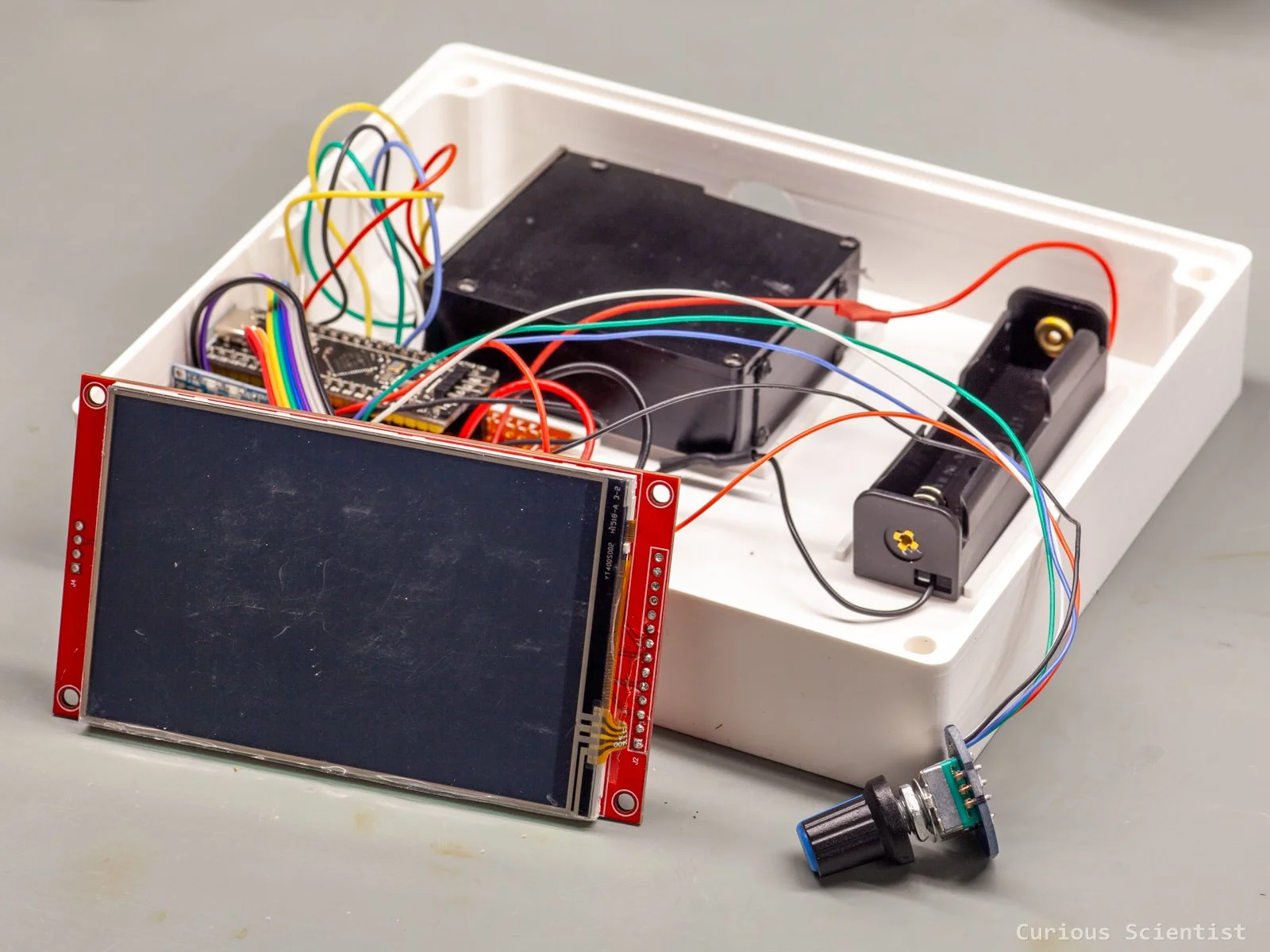
All the components together
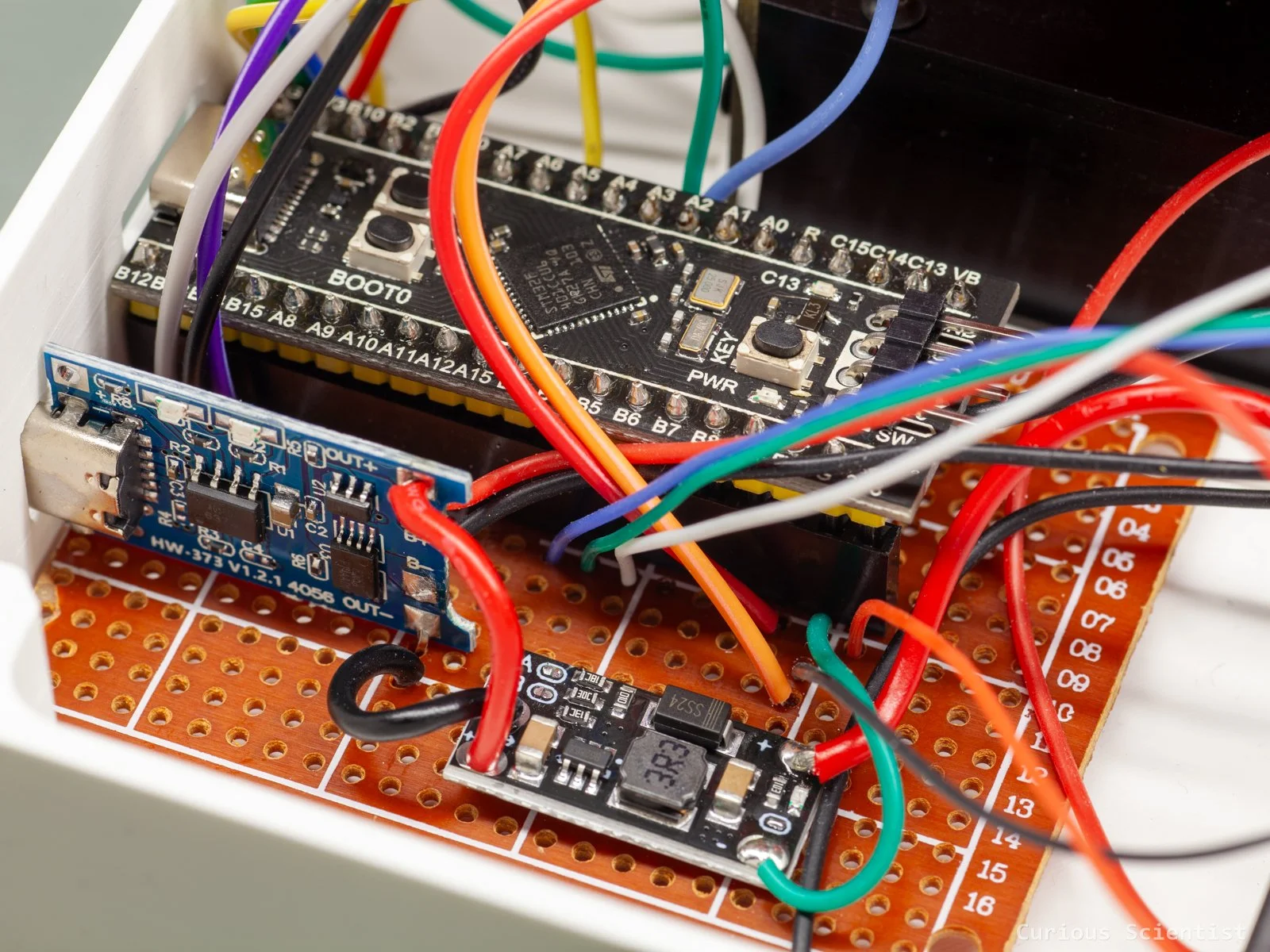
The microcontroller, the battery charger and the boost converter on a prototyping board
Some interesting test results
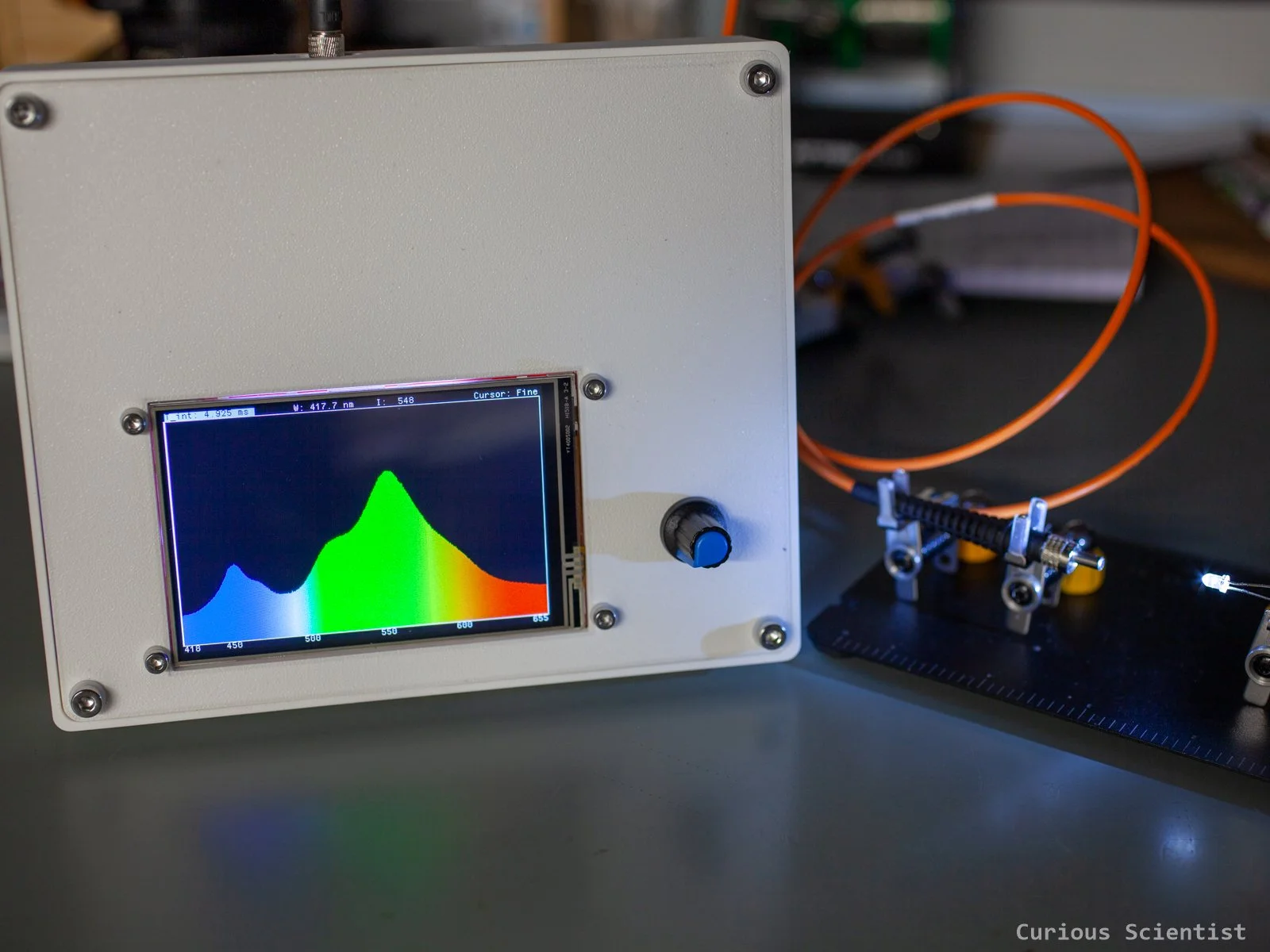
So, I attached the earlier-mentioned optical fibre to the spectrometer and measured a few interesting things. I used the exact same calibration that I used in my latest spectrometer video, so the wavelengths should be OK. The only difference now is that I show you the results on the physical display of the instrument I built instead of my PC software.
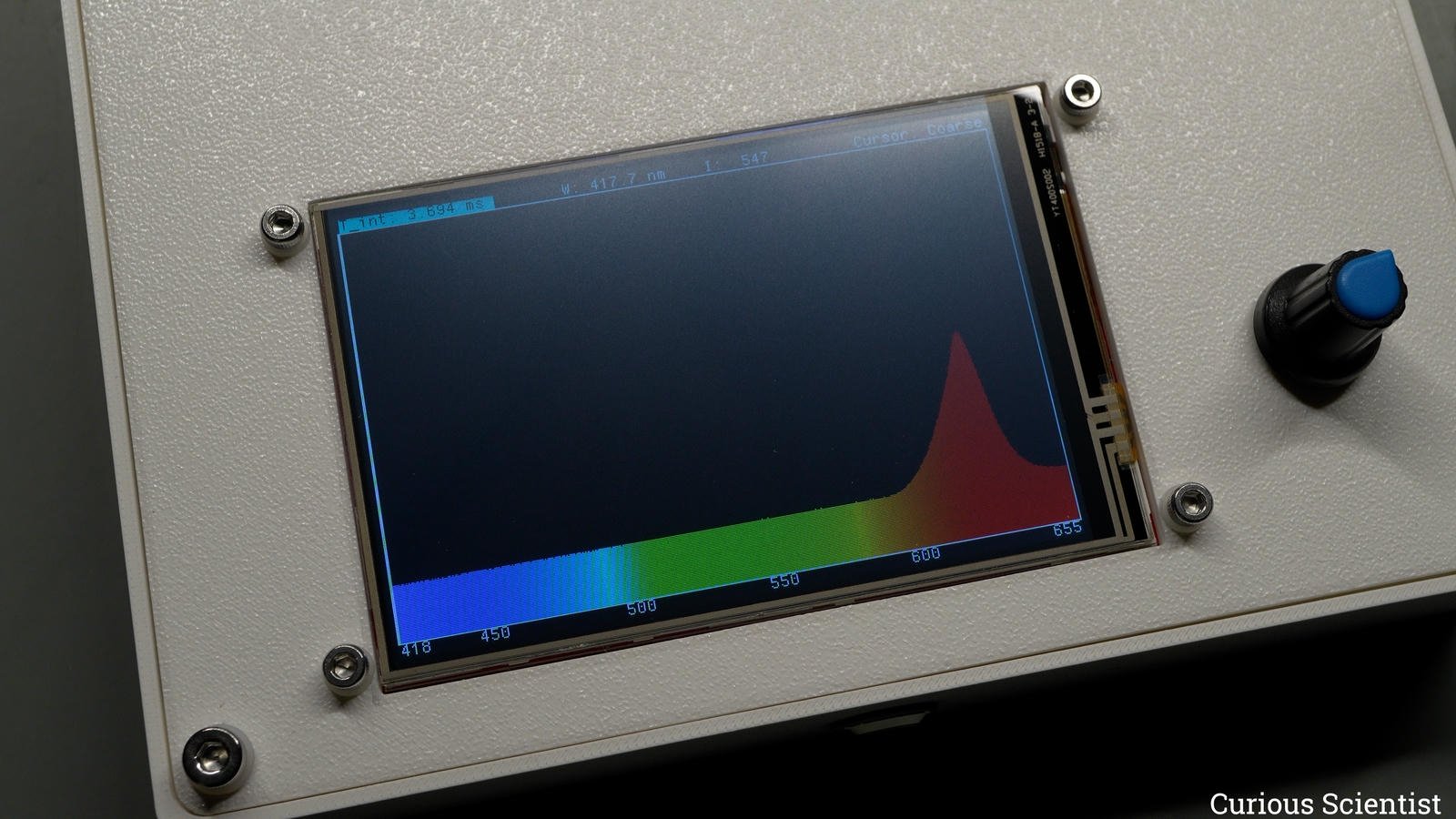
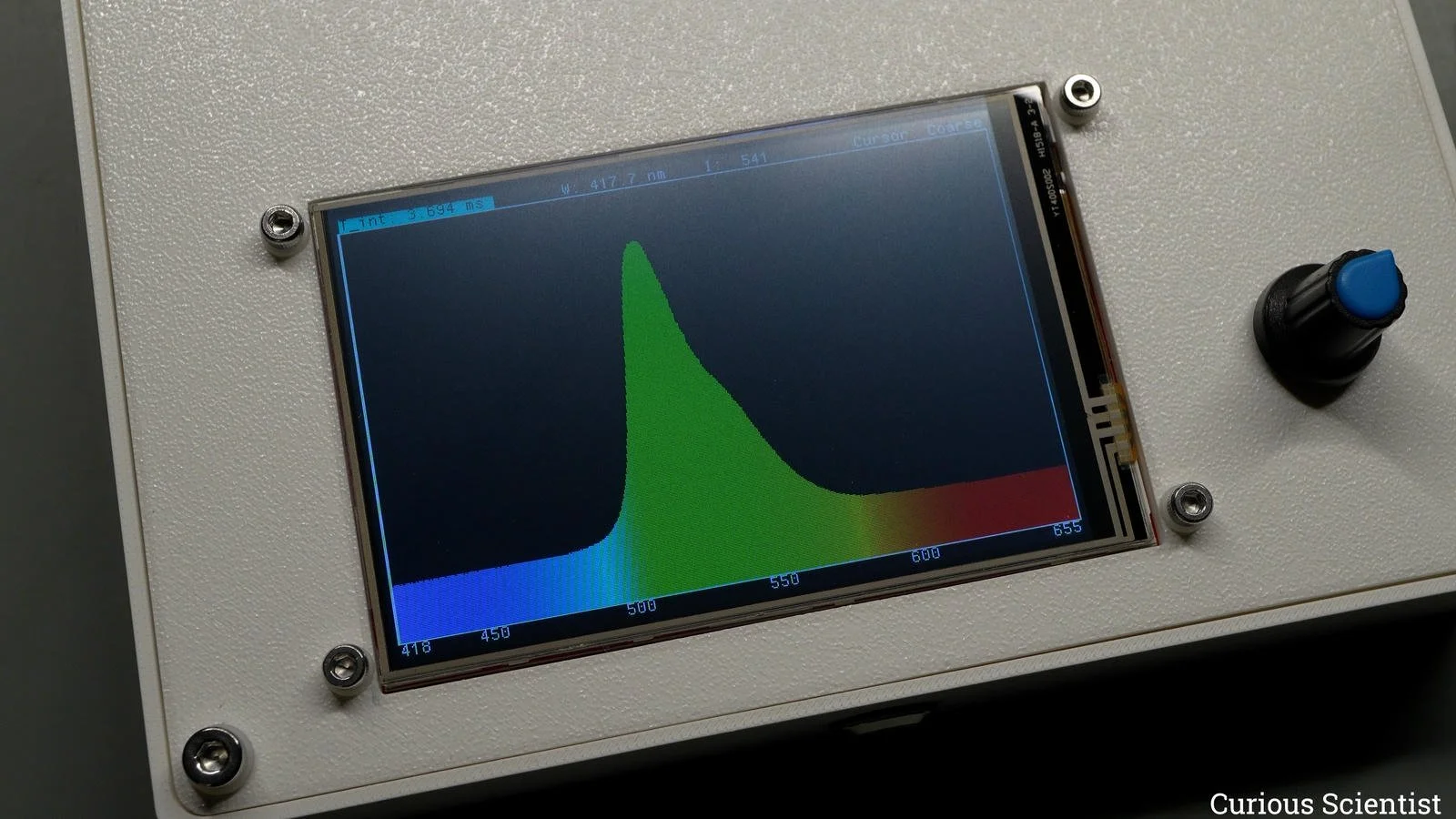
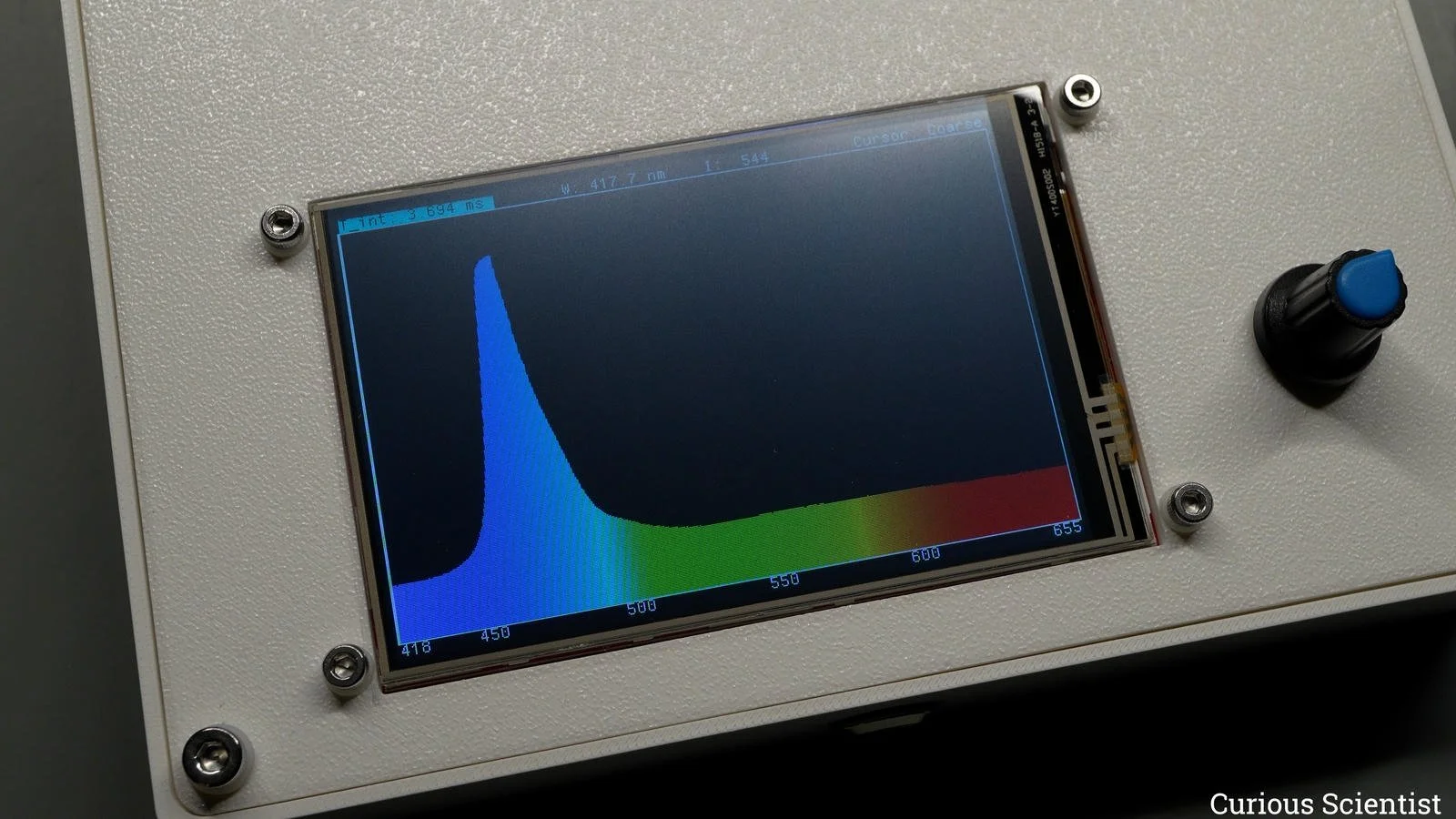
I measured the spectrum of the common LEDs that can be found in hobby electronics kits. White, red, green, blue, and amber. Nothing suspicious so far, although let me spend a few seconds explaining the blue peak in the white LED’s spectrum. Well, surprise-surprise, white LEDs are not white. They are blue LEDs with yellow phosphor coating. The purpose of the yellow phosphor is to absorb parts of the blue light and convert it into other colours. These other colours are basically the rest of the spectrum we see. And when you mix all the colours together, you can trick the eye into perceiving them as white light. Cool, huh?
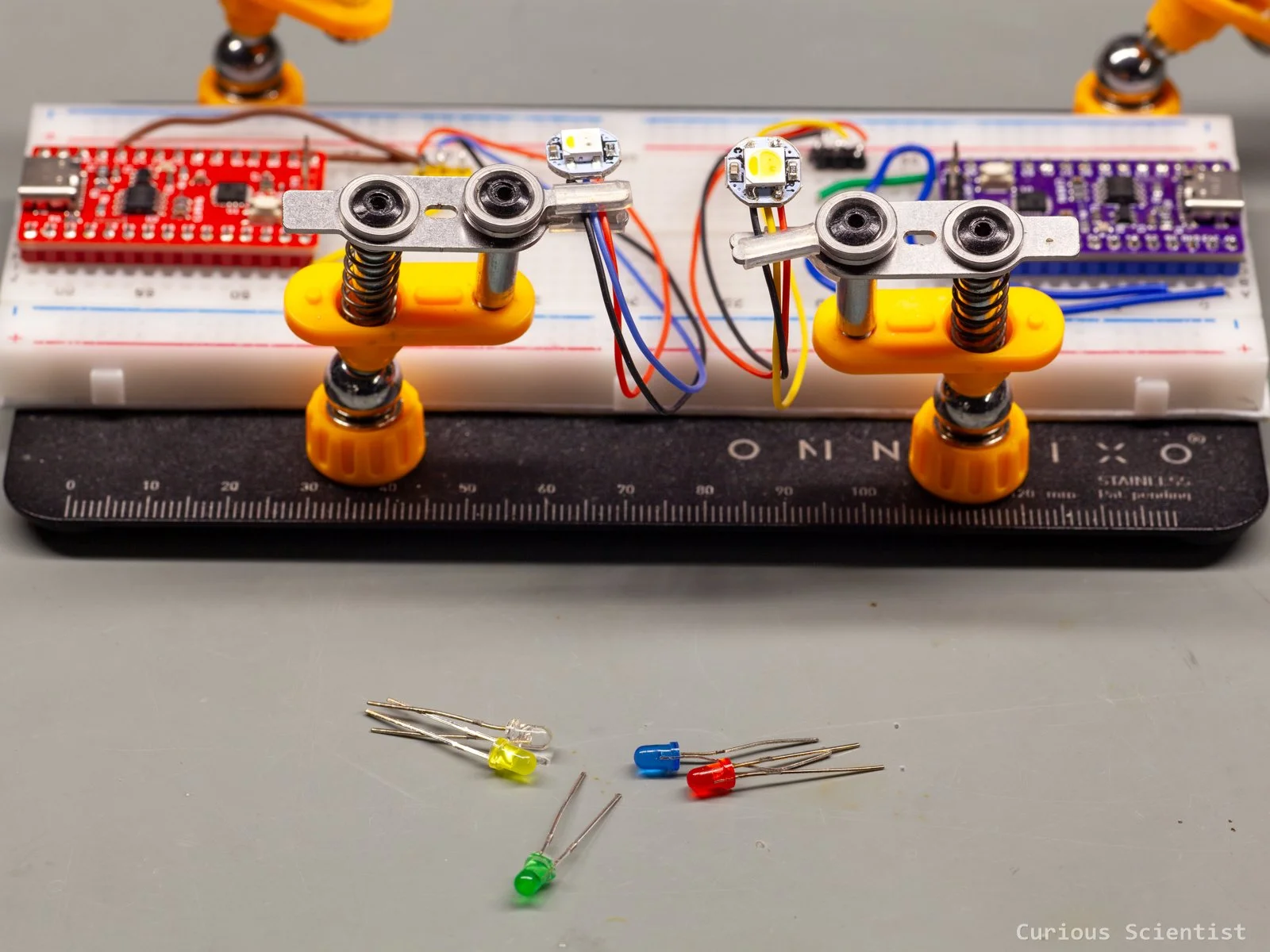
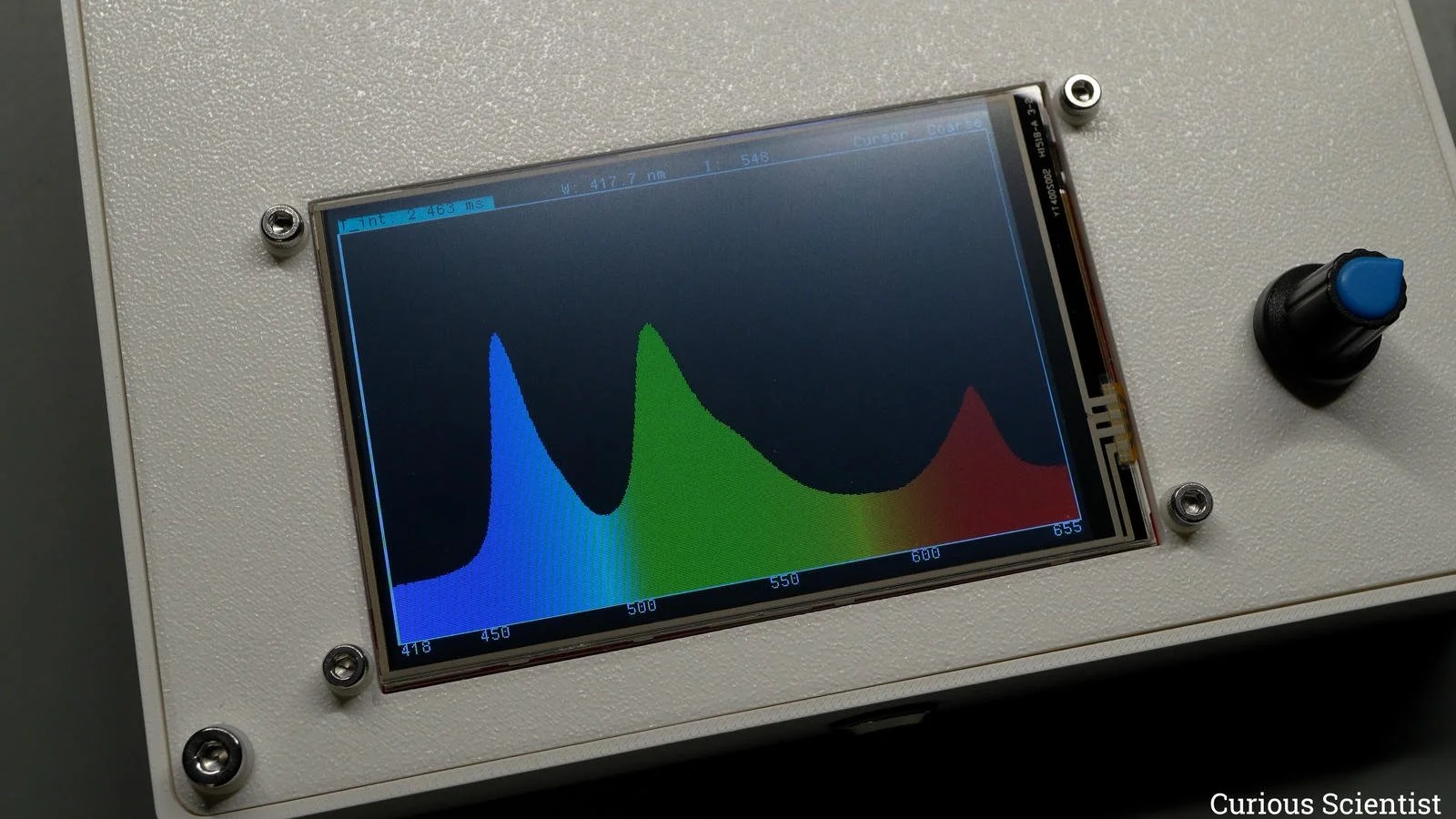
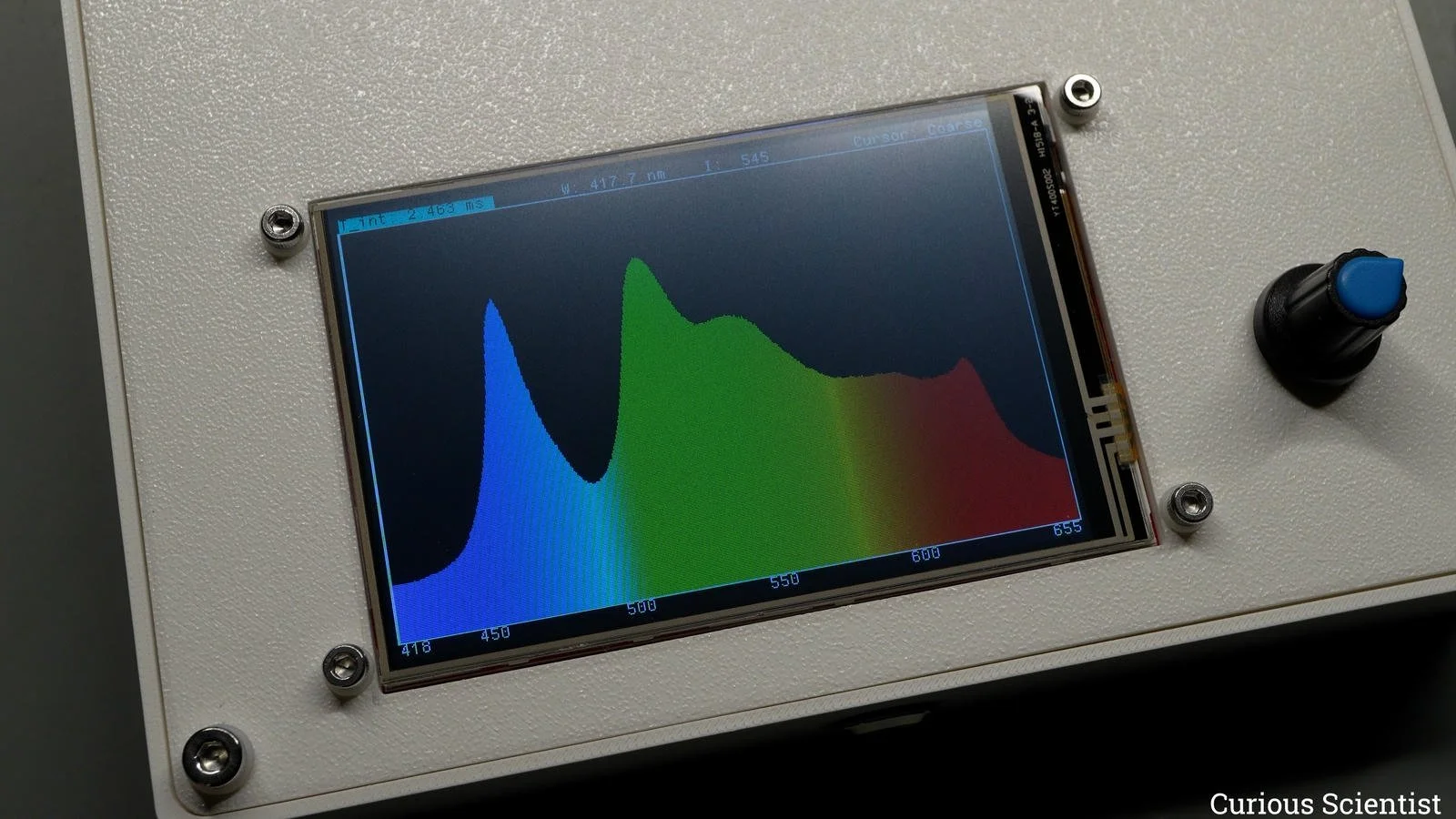
This probably becomes more apparent if I show you different spectra of an RGB LED. I especially want to show you my newest grab, the SK6812 RGBW LED, which, in addition to the three basic colours red, green and blue, has a fourth “colour” LED: white. So, we can create white colour with this LED in two ways: we can turn on all three basic colours, or we can turn on the white LED, which is the earlier-mentioned “blue LED with a yellow phosphor coating”. But, as we can see, the “RGB-white” is a lousy one. Despite the fact that the apparent colour is white, the spectrometer can clearly distinguish the three peaks, and we can see that the yellow is entirely missing from the spectrum. We can mix “apparent-yellow”, but we can not emit “real-yellow” with this type of LED. Not in the same way as the amber LED did.
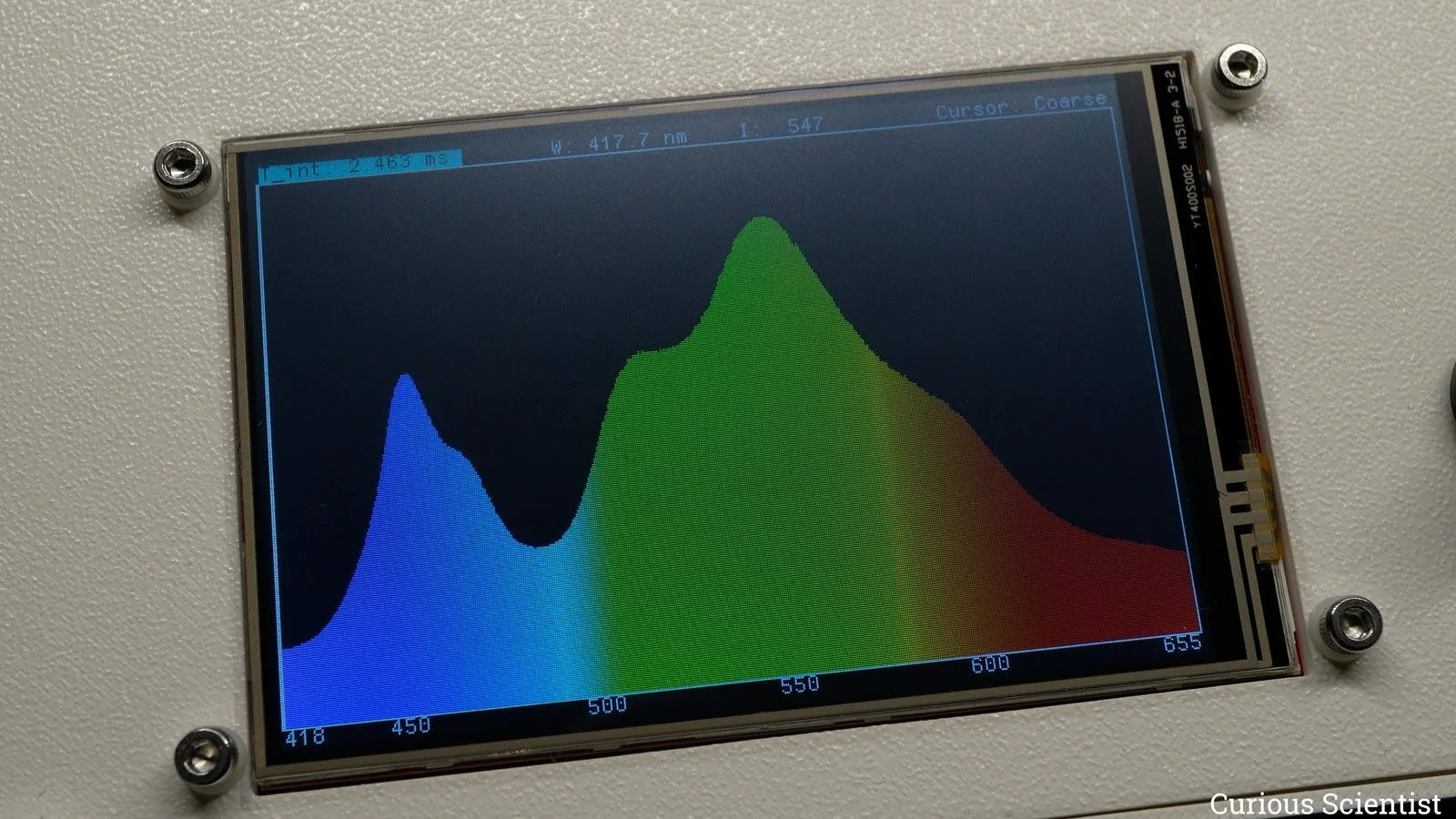
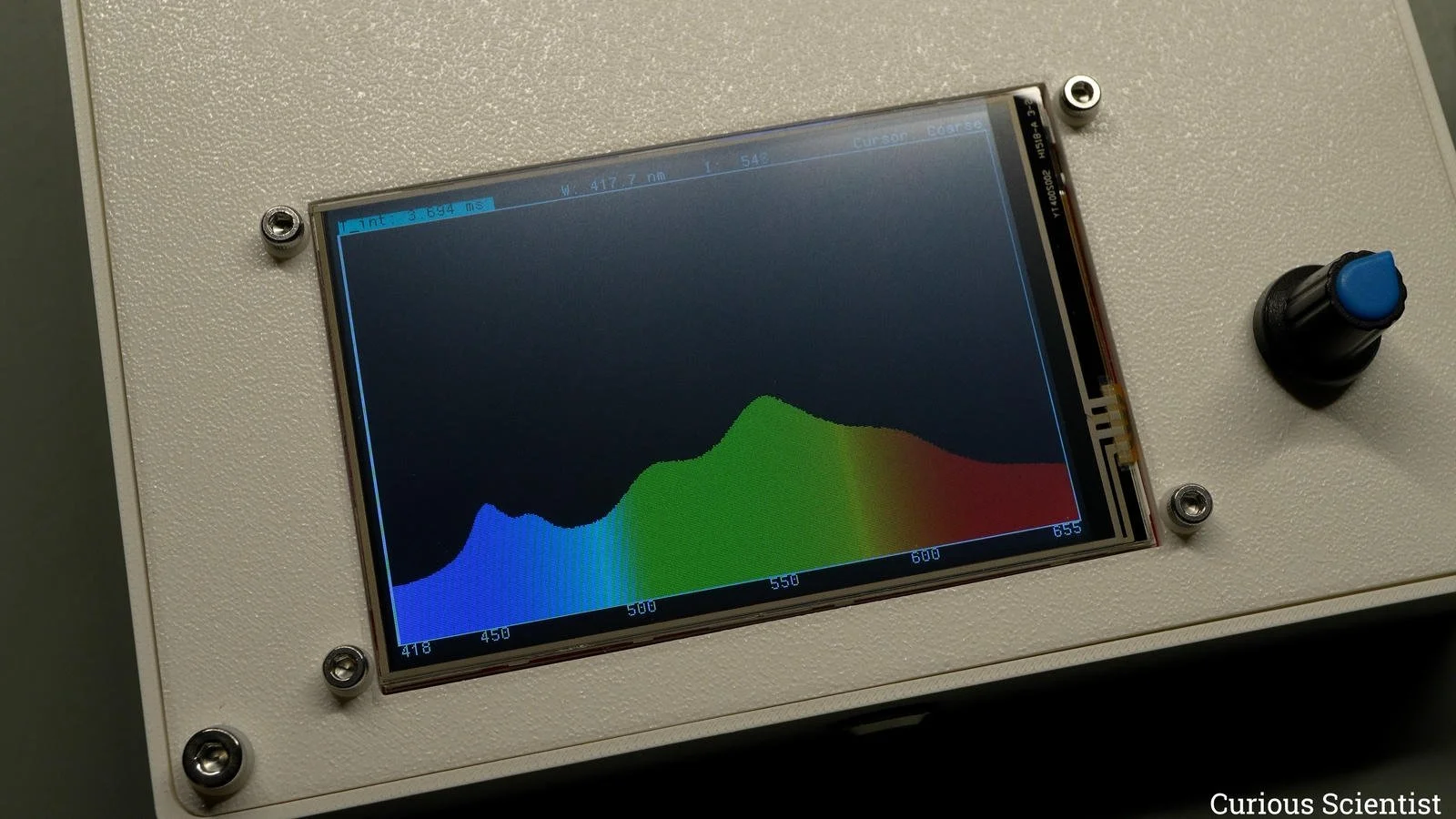
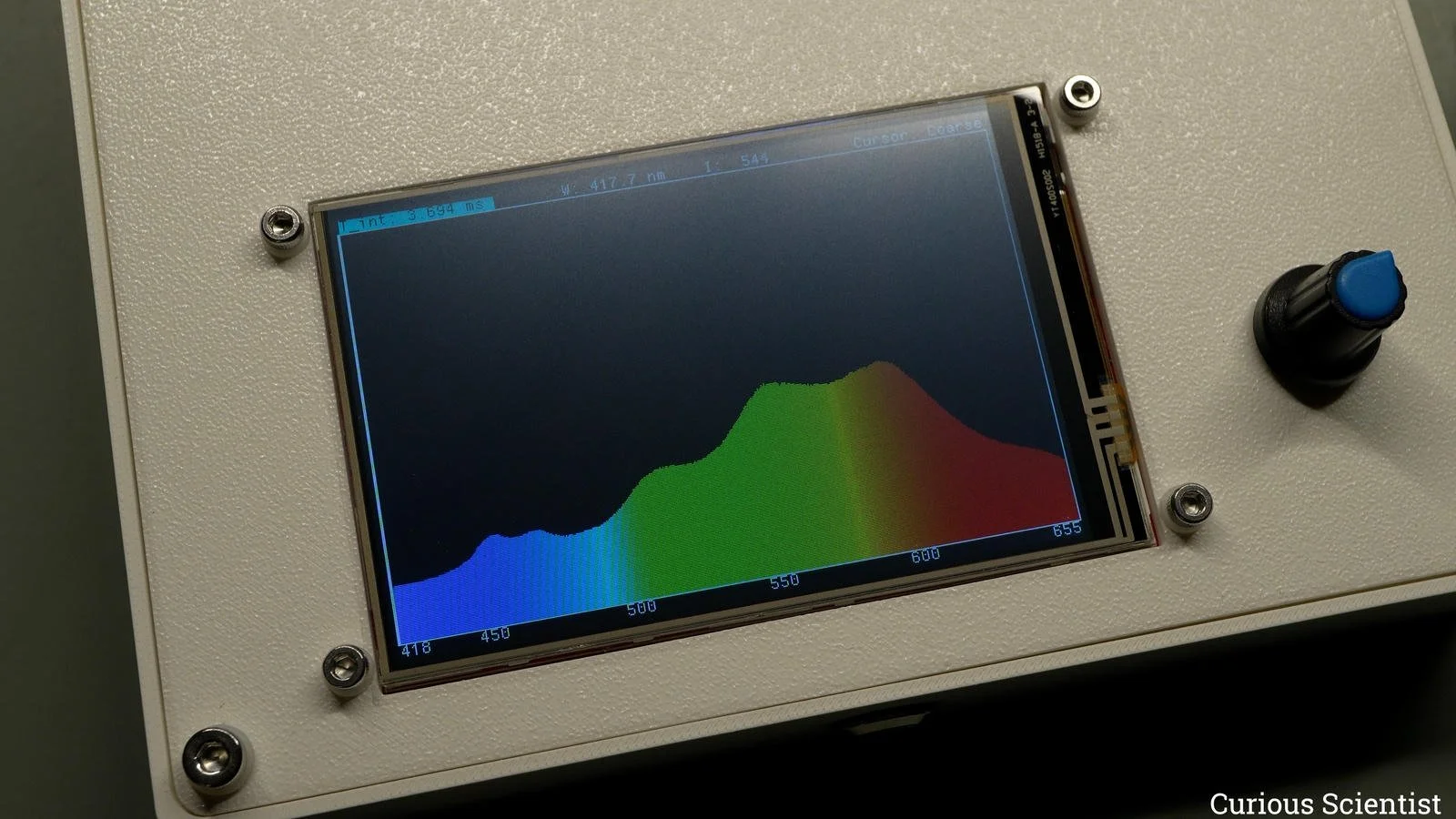
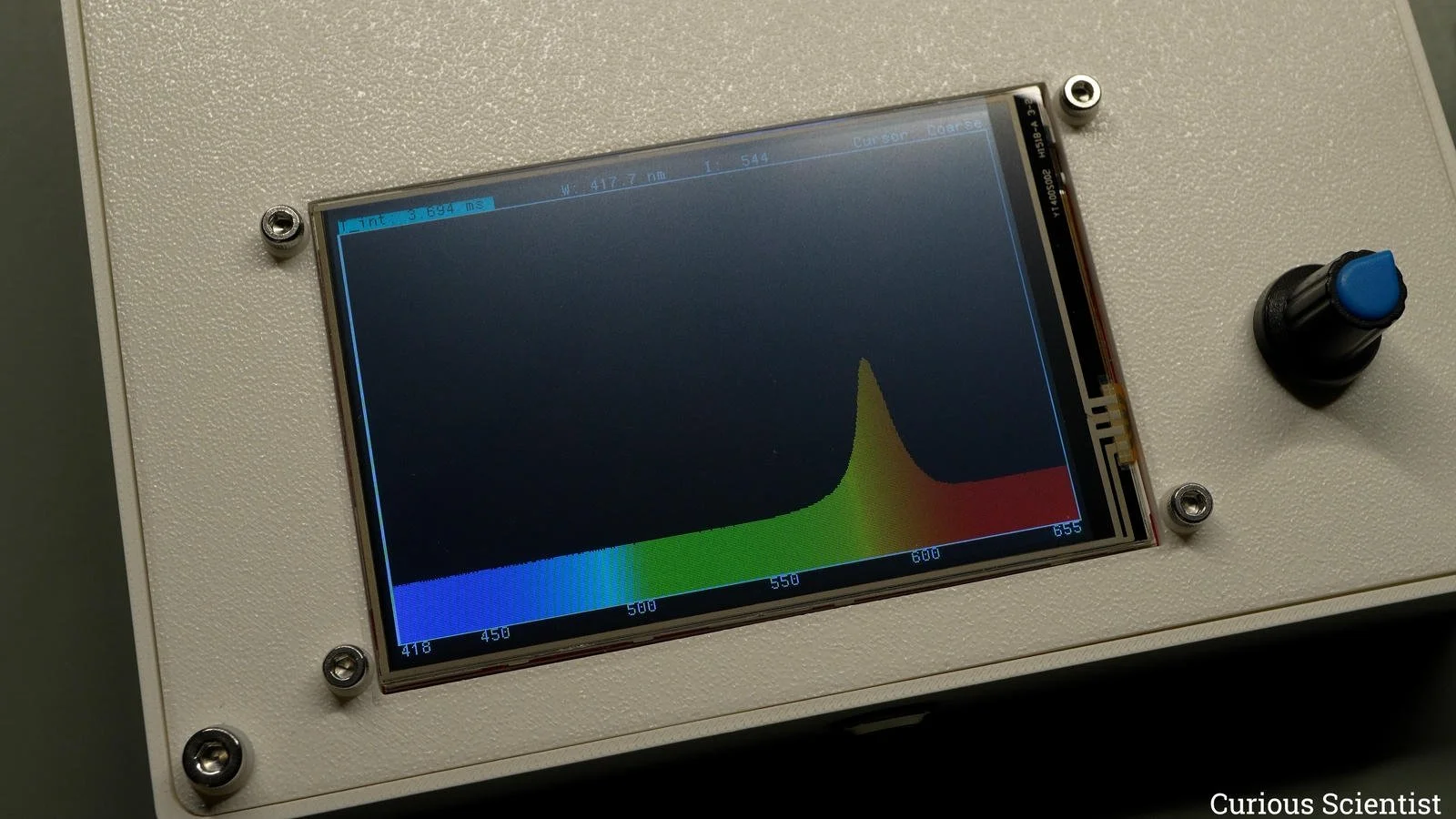
Then, I have another interesting LED. It is also an SK6812, but it is the “WWA” variant. It is also a programmable light source, and it consists of three different kinds of white tones: “blue-white”, “warm-white” and amber. According to the datasheet, these LEDs mainly differ in the proportion of their blue and red intensities. This shows up nicely in my measurements. The “blue-white” has a double peak around 450-460 nm, and then another peak around 550 nm with two shoulders on each side, while the red wavelengths are quite weak. The “warm-white” has a much weaker double peak in the blue zone, and besides the 550 nm peak, there is another at 600 nm, which enhances the perceived warmer tones of the light. Not only apparently, but "scientifically” as well, because the intensity of higher wavelengths is higher. Finally, the amber LED is really an amber one; its peak is directly comparable with the regular amber LED’s wavelength.
If you found this content useful, please consider joining my YouTube channel’s membership or leaving a donation.
Also, please consider using my affiliate links when buying relevant gadgets.
Get the TCD1304 PCB from my PCBWay project page!

Use the following affiliate links to purchase the relevant products: